Skip to content

How do i check my oracle database is either 32 bit or 64bit

Have a lot of method…Here one method below

[oracle@netbackuptest bin]$ sqlplus / as sysdba

SQL*Plus: Release 11.2.0.2.0 Production on Sat Nov 26 07:57:52 2011

Copyright (c) 1982, 2010, Oracle. All rights reserved.
Connected to:
Oracle Database 11g Enterprise Edition Release 11.2.0.2.0 - 64bit Production
With the Partitioning, OLAP, Data Mining and Real Application Testing options

SQL> select length(addr)*4 || '-bits' word_length from v$process where rownum=1;

WORD_LENGTH
---------------------------------------------
64-bits

SQL>

Virtual machine images for Oracle Solaris 11

This download page offers a variety of links for virtual machine images for Oracle Solaris 11, including Oracle VM Templates for Oracle Solaris 11. These Oracle VM Templates speed the creation of Proof of Concept environments and other evaluation/development tasks by dramatically simplifying the installation process. Oracle Solaris VM Templates are available for both SPARC and x86-based systems.

Oracle VM Template for Oracle Solaris 10 Zones (64 bit)

Script : Tablespace free space

How do we identify tablespace free space in database ?

SQL> SELECT /* + RULE */ df.tablespace_name "Tablespace",
2 df.bytes / (1024 * 1024) "Size (MB)",
3 SUM(fs.bytes) / (1024 * 1024) "Free (MB)",
4 Nvl(Round(SUM(fs.bytes) * 100 / df.bytes),1) "% Free",
5 Round((df.bytes - SUM(fs.bytes)) * 100 / df.bytes) "% Used"
6 FROM dba_free_space fs,
7 (SELECT tablespace_name,SUM(bytes) bytes
8 FROM dba_data_files
9 GROUP BY tablespace_name) df
10 WHERE fs.tablespace_name (+) = df.tablespace_name
11 GROUP BY df.tablespace_name,df.bytes
12 UNION ALL
13 SELECT /* + RULE */ df.tablespace_name tspace,
14 fs.bytes / (1024 * 1024),
15 SUM(df.bytes_free) / (1024 * 1024),
16 Nvl(Round((SUM(fs.bytes) - df.bytes_used) * 100 / fs.bytes), 1),
17 Round((SUM(fs.bytes) - df.bytes_free) * 100 / fs.bytes)
18 FROM dba_temp_files fs,
19 (SELECT tablespace_name,bytes_free,bytes_used
20 FROM v$temp_space_header
21 GROUP BY tablespace_name,bytes_free,bytes_used) df
22 WHERE fs.tablespace_name (+) = df.tablespace_name
23 GROUP BY df.tablespace_name,fs.bytes,df.bytes_free,df.bytes_used
24 ORDER BY 4 DESC;
Tablespace Size (MB) Free (MB) % Free % Used
------------------------------ ---------- ---------- ---------- ----------
UNDOTBS1 130 102.5 79 21
USERS 5 3.625 73 28
VPX 1024 650.625 64 36
VUM 1000 601.75 60 40
SYSAUX 880 80.5625 9 91
SYSTEM 750 42.25 6 94
TEMP 119 0 0 100

7 rows selected.
SQL>

ORA-27206: requested file not found in media management catalog

During take backup through Veritas netbackup, it shows below errors

channel ch00: starting piece 1 at 2011-10-31:10:13:48
RMAN-03009: failure of backup command on ch01 channel at 10/31/2011 10:14:23
ORA-19513: failed to identify sequential file
ORA-27206: requested file not found in media management catalog

The problem has occurred If you are added your client ip address in master netbackup server while configure backup policy.
So change client hostname with domain name instead of ip address of client.

RMAN-03009 ORA-19506 ORA-27028 ORA-19511 error while configure oracle backup in veritas netbackup

When i’m trying configure oracle backup on veritas netbackup, it showing the below errors

RMAN> 2> 3> 4> 5> 6> 7> 8> 9> 10> 11> 12> 13> 14> 15> 16> 17> 18>
allocated channel: ch00
channel ch00: sid=125 devtype=SBT_TAPE
channel ch00: Symantec/BackupExec/1.1.0

allocated channel: ch01
channel ch01: sid=90 devtype=SBT_TAPE
channel ch01: Symantec/BackupExec/1.1.0

Starting backup at 2011-10-30:14:34:49
channel ch00: starting incremental level 0 datafile backupset
channel ch00: specifying datafile(s) in backupset
input datafile fno=00005 name=H:\BROKER\PACE01.DBF
input datafile fno=00002 name=D:\ORACLE\PRODUCT\10.2.0\ORADATA\BROKER\UNDOTBS01.DBF
input datafile fno=00003 name=D:\ORACLE\PRODUCT\10.2.0\ORADATA\BROKER\SYSAUX01.DBF
input datafile fno=00014 name=H:\BROKER\PACE04.DBF
input datafile fno=00012 name=D:\CIGNATBS\CCIDATA01.DBF
input datafile fno=00004 name=D:\ORACLE\PRODUCT\10.2.0\ORADATA\BROKER\USERS01.DBF
input datafile fno=00007 name=D:\ORACLE\CATALOG\BROKER\RMAN01.DBF
channel ch00: starting piece 1 at 2011-10-30:14:34:50
channel ch01: starting incremental level 0 datafile backupset
channel ch01: specifying datafile(s) in backupset
input datafile fno=00006 name=H:\BROKER\FACE01.DBF
input datafile fno=00001 name=D:\ORACLE\PRODUCT\10.2.0\ORADATA\BROKER\SYSTEM01.DBF

channel ch01: starting piece 1 at 2011-10-30:14:34:51
RMAN-03009: failure of backup command on ch00 channel at 10/30/2011 14:34:52
ORA-19506: failed to create sequential file, name="bk_uhsmqdf8a_s1596_p1_t765902090", parms=""
ORA-27028: skgfqcre: sbtbackup returned error
ORA-19511: Error received from media manager layer, error text:
   BEError(0x80004005) Unspecified error 
 

Cause :

The problem has occured because I have already configured symantec backup exec agent software on particular database server, So it has created own orasbt.dll file in c:\windows\system32 directory and that particular database sbt device is configured with symantec backup exec . While the existing system running,  I installed veritas netbackup client  agent also on the same server without removing symantec backup exec and removed orasbt.dll file.

If symantec backup exec is already install on the same server, and if we are trying to install netbackup then it does not overwrite on orasbt.dll file.

This is the reason when i take backup, the allocated channel showing symantec backup exec not veritas oracle netbackup.

Solution :

Uninstall Both client software (Symantec Backup exec and Vertias ntbackup)

delete orasbt.dll file from  “C:\windows\system32\”

Install again Veritas Oracle netbackup.  Now Its works fine.

RMAN> run {
2> ALLOCATE CHANNEL ch00 TYPE 'SBT_TAPE';
3> SEND 'NB_ORA_SERV=xxxxxx.ace-ins.com,NB_ORA_CLIENT=yyyyyy.ace-ins.com,N
B_ORA_POLICY=dbtest';
4> BACKUP INCREMENTAL LEVEL=0 FORMAT 'bk_u%u_s%s_p%p_t%t' DATABASE;
5> }

allocated channel: ch00
channel ch00: sid=147 devtype=SBT_TAPE
channel ch00: Veritas NetBackup for Oracle - Release 7.0 (20100104)

sent command to channel: ch00

Starting backup at 31-OCT-11
channel ch00: starting incremental level 0 datafile backupset
channel ch00: specifying datafile(s) in backupset
input datafile fno=00001 name=D:\ORACLE\PRODUCT\10.2.0\ORADATA\TESTDB\SYSTEM01.D
BF
input datafile fno=00003 name=D:\ORACLE\PRODUCT\10.2.0\ORADATA\TESTDB\SYSAUX01.D
BF

my blog is redirected with new domain mohamedazar.com

Hi, I’m here announce that I changed my wordpress blog domain with following address.

www.mohamedazar.com

However If you clicked  on my wordpress blog, it will automatically redirected to this address.

Enjoy your reading….:-)


Oracle 11gr2 two node real application cluster installation guide on linux using Virtual Box 4.1.4

Here I just demonstrated how do we install two node rac on oracle Virtual Box.

Please refer before you try to install rac on virtual box.

Vmware Server rac installation guide , click below url.

Oracle 11gr2 two node rac installation guide on linux using vmware

Oracle Virtual Box 4.1.4

Download the below pdf document, I hope this document will helpful for you.

Oracle 11gr2 rac two node installation guide on linux using virtual box 4.1.4

Download right click on this URL , choose save target as and save it.

ORA-27300: OS system dependent operation:invalid_egid failed with status: 1

When i’m trying to create new database for RAC environment using DBCA,  It shows the error about invalid gid and diskgroup not mounted.

ORA-27300: OS system dependent operation:invalid_egid failed with status: 1
ORA-27301: OS failure message: Operation not permitted
ORA-27302: failure occurred at: skgpwinit6
ORA-27303: additional information: startup egid = 501 (oinstall), current egid = 502 (dba)

yes I’m realized, the problem may happen for permission issues of oracle binary execute file in grid home.

I check the permission for Grid Home/bin/oracle binary file

[oracle@racnode1 ~]$ ls -l /u01/app/11.2.0/grid/bin/oracle
-rwxrwxr-x oracle dba 210824714 Sep 14 07:58 /u01/app/11.2.0/grid/bin/oracle
[oracle@racnode1 ~]$

Stop ASM instance and then execute following command

[oracle@racnode1 ~]$ chmod 6751 /u01/app/11.2.0/grid/bin/oracle
[oracle@racnode1 ~]$ ls -l /u01/app/11.2.0/grid/bin/oracle
-rwsr-s--x 1 oracle dba 210824714 Sep 14 07:58 /u01/app/11.2.0/grid/bin/oracle
[oracle@racnode1 ~]$

Change the permission on second node grid home oracle binary file also If it was modified before.

Start ASM instance again and then now you try to create database using DBCA. It will successful.

Oracle Information Integration, Migration, and Consolidation book review

I have recently received Oracle information integration,migration and consolidation book from packt pub for book review.

Such a interesting book for who has ready to migrate your data or integrate data to Other applications. this book helps and  give more tips for you how do you integrate your data or migrate data which utility do you want use and also how do you prepare your task with perfect plan. Here this book covers how do we use more tools for completing  such a big task.

The book covers data migration, data consolidation, and data integration, the three scenarios that are typically part of the information integration life cycle. Organizations typically find themselves migrating data to Oracle and either later, or at the same time, consolidating multiple database instances into a single global instance for a department, or even an entire company. The business savings and technical benefits of data consolidation cannot be overlooked, and this book will help you to use Oracle’s technology to achieve these goals.

This highly practical and business-applicable book will teach you to be successful with the latest Oracle data and application integration, migration, information life-cycle management, and consolidation products and technologies.

In this book, you will gain hands-on advice about data consolidation, integration, and migration using tools and best practices. Along the way you will leverage products like Oracle Data Integrator, Oracle GoldenGate, and SQL Developer, as well as Data Hubs and 11gR2 Database.

The book covers everything from the early background of information integration and the impact of SOA, to products like Oracle GoldenGate and Oracle Data Integrator. By the end you’ll have a clear idea of where information and application integration is headed and how to plan your own projects.
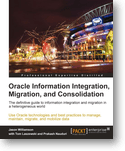
I mentioned this book “Oracle information integration,migration and consolidation” written by Jason Williamson with contributing authors Tom Laszewski and Prakash Nauduri.

What you will learn from this book :

  • Get to grips with all that Oracle has to offer for information integration, migration, consolidation, and information life cycle management
  • Gain insight into migration tools and practices that are not well documented or understood even by many Oracle architects
  • Take a deep dive into how information integration and data migration are achieved in a complete and robust Oracle environment
  • Evaluate which Oracle products to implement to meet your company’s unique technical requirements
  • Migrate data to Oracle in the most cost-effective, high performance and efficient manner
  • Learn from real-world case studies to help you define your own information and application integration solutions
  • Understand how Oracle’s latest combined hardware and software platforms can be used not only to consolidate data, but as an information service bus solution ‘in a box’
  • Tackle a myriad of tools like Oracle SOA Suite, Oracle Data Integrator, Oracle Golden Gate, and many more
  • Absorb the facts surrounding Oracle’s strategic offering, Application Integration Architecture (AIA)
  • Understand the past, present, and future of Oracle Application Integration
  • Utilize an Oracle and a partner’s product offerings to manage your large volumes of rarely accessed, but mission-critical information
  • Master an Oracle Commercial Off-The-Shelf (COTS) application.
This book has including contains 9 chapters,
Sample Chapter
Table of contents
  • Chapter 1, Getting Started With Information Integration, we present the overview of the information integration, data migration, and consolidation topic. You will learn the key concepts and build the foundations for the hands-on application of these concepts for your organization’s needs in the remainder of the book.
  • Chapter 2, Oracle Tools and Products, covers all the key Oracle products, tools, and technologies for you to consider when planning to implement integration, consolidation, and migration projects. The Oracle products, tools, and technologies are discussed separately and also compared and contrasted to provide you with the information needed to decide the product or products for your unique use cases.
  • Chapter 3, Application and Data Integration Case Study, provides the readers with the experience of a real world end-to-end application and process integration. In this chapter, we will look at the products and tools used, and even the work plan and design documents that were used. This is an excellent blueprint for your current or future projects.
  • Chapter 4, Oracle Database Migrations is a hands-on guide on how to migrate non-Oracle relational database sources to the Oracle Database. Oracle SQL Developer, a relational database modeling and migration tool, is covered in detail along with Oracle Data Integrator and GoldenGate.
  • Chapter 5, Database Migration Challenges and Solutions, covers database migration challenges and solutions. Schema and data migration are covered, along with specific issues like globalization. Some customer migration case studies are also covered.
  • Chapter 6, Data Consolidation and Management, investigates the key concepts and infrastructure needed for producing a consolidated view of data for the whole organization. We will look at Oracle Data Hub, Coherence, TimesTen products and Oracle Exadata, a database machine which is a consolidated software, hardware, and storage solution for your consolidation efforts.
  • Chapter 7, Database-centric Data Integration, focuses on the data-centric integration and data interchange between different databases either in near real-time, on-demand in the context of active transaction or bulk data merges between source and target databases. Oracle GoldenGate, Oracle Data Integrator, and Oracle Gateways are all covered in detail. We look at a case study for Overstock.com and their usage of Oracle Golden Gate and Oracle Data Integrator for highly available and integrated solutions.
  • Chapter 8, Application and Process Integration examines Oracle SOA Suite integration products like Oracle BPEL, Oracle Service Bus, Oracle SOA Adapters, and Oracle Application Integration Architecture. At the end of the chapter, you will have a clear understanding of what Oracle products to use for each specific application integration project you have.
  • Chapter 9, Information Lifecycle Management for Transactional Applications is the final installment of data integration. In this chapter we look at how to manage the entire lifecycle of data. We will look at Oracle ILM and how to manage and archive non-Oracle data sources.

Who this book for

If you are a DBA, application or data architect, or data integration specialist who is running an Oracle database or middleware and you want to learn about the latest on Oracle’s information integration platform, then this book is for you.

You can also benefit from this book if you are an application developer or technical and project lead with a focus on master data management, data warehousing, and data consolidation.

You should have working experience with Oracle Database, data integration, consolidation, and migration, as well as some familiarity with integration middleware products and information service buses.

Oracle virtualbox installation error on linux

This topic may useful for who may face below errors while configure oracle virtual box on Linux.

Download VirtualBox for Redhat 5 64bit

Oracle VirtualBox Download

Install

[root@netbackuptest virtualbox]# rpm -Uvh VirtualBox-4.1-4.1.4_74291_rhel5-1.x86_64.rpm
warning: VirtualBox-4.1-4.1.4_74291_rhel5-1.x86_64.rpm: Header V4 DSA signature: NOKEY, key ID 98ab5139
error: Failed dependencies:
        libSDL-1.2.so.0()(64bit) is needed by VirtualBox-4.1-4.1.4_74291_rhel5-1.x86_64

I faced the above error while installing, you need to install SDL-1.2.10-8.el5.* rpm package for your machine.You can get it from your OS DVD.

[root@netbackuptest virtualbox]# rpm -Uvh SDL-1.2.10-8.el5.i386.rpm
warning: SDL-1.2.10-8.el5.i386.rpm: Header V3 DSA signature: NOKEY, key ID 37017186
Preparing...                ########################################### [100%]
   1:SDL                    ########################################### [100%]
[root@netbackuptest virtualbox]# rpm -Uvh SDL-1.2.10-8.el5.x86_64.rpm
warning: SDL-1.2.10-8.el5.x86_64.rpm: Header V3 DSA signature: NOKEY, key ID 37017186
Preparing...                ########################################### [100%]
   1:SDL                    ########################################### [100%]

Again I try to Install VirtualBox,

[root@netbackuptest virtualbox]# rpm -Uvh VirtualBox-4.1-4.1.4_74291_rhel5-1.x86
warning: VirtualBox-4.1-4.1.4_74291_rhel5-1.x86_64.rpm: Header V4 DSA signature:
Preparing...                ########################################### [100%]
   1:VirtualBox-4.1         ########################################### [100%]

Creating group 'vboxusers'. VM users must be member of that group!

No precompiled module for this kernel found -- trying to build one. Messages
emitted during module compilation will be logged to /var/log/vbox-install.log.

Stopping VirtualBox kernel modules [  OK  ]
Uninstalling old VirtualBox DKMS kernel modules [  OK  ]
Trying to register the VirtualBox kernel modules using DKMS [FAILED]
  (Failed, trying without DKMS)
Recompiling VirtualBox kernel modules [FAILED]
  (Look at /var/log/vbox-install.log to find out what went wrong)

This time virtulbox was installed but i got a dkms error. this condition , you need to download
dkms-2.1.1.2-1.el5.rf.noarch.rpm package.
dkms-2.1.1.2-1.el5.rf.noarch.rpm

[root@netbackuptest virtualbox]# rpm -Uvh dkms-2.1.1.2-1.el5.rf.noarch.rpm
warning: dkms-2.1.1.2-1.el5.rf.noarch.rpm: Header V3 DSA signature: NOKEY, key ID 6b8d79                                                                     e6
error: Failed dependencies:
        kernel-devel is needed by dkms-2.1.1.2-1.el5.rf.noarch

Dependencies rpm package need. the above kernel-devel get it from OS DVD.

[root@netbackuptest virtualbox]# rpm -Uvh kernel-devel-2.6.18-238.el5.x86_64.rpm
warning: kernel-devel-2.6.18-238.el5.x86_64.rpm: Header V3 DSA signature: NOKEY, key ID                                                                      37017186
Preparing...                ########################################### [100%]
   1:kernel-devel           ########################################### [100%]
[root@netbackuptest virtualbox]# rpm -Uvh dkms-2.1.1.2-1.el5.rf.noarch.rpm
warning: dkms-2.1.1.2-1.el5.rf.noarch.rpm: Header V3 DSA signature: NOKEY, key ID 6b8d79                                                                     e6
Preparing...                ########################################### [100%]
   1:dkms                   ########################################### [100%]

Again I try to install Oracle Virtulbox

[root@netbackuptest virtualbox]# rpm -Uvh VirtualBox-4.1-4.1.4_74291_rhel5-1.x86_64.rpm
warning: VirtualBox-4.1-4.1.4_74291_rhel5-1.x86_64.rpm: Header V4 DSA signature: NOKEY,                                                                      key ID 98ab5139
Preparing...                ########################################### [100%]
        package VirtualBox-4.1-4.1.4_74291_rhel5-1.x86_64 is already installed
 

It show package already Installed, just remove this rpm package and install it again.
[root@netbackuptest virtualbox]# rpm -e VirtualBox-4.1-4.1.4_74291_rhel5-1.x86_64
[root@netbackuptest virtualbox]# rpm -Uvh VirtualBox-4.1-4.1.4_74291_rhel5-1.x86_64.rpm
warning: VirtualBox-4.1-4.1.4_74291_rhel5-1.x86_64.rpm: Header V4 DSA signature: NOKEY,                                                                      key ID 98ab5139
Preparing...                ########################################### [100%]
   1:VirtualBox-4.1         ########################################### [100%]

Creating group 'vboxusers'. VM users must be member of that group!

No precompiled module for this kernel found -- trying to build one. Messages
emitted during module compilation will be logged to /var/log/vbox-install.log.

Stopping VirtualBox kernel modules [  OK  ]
Uninstalling old VirtualBox DKMS kernel modules [  OK  ]
Trying to register the VirtualBox kernel modules using DKMS [  OK  ]
Starting VirtualBox kernel modules [  OK  ]
[root@netbackuptest virtualbox]#

Now Everything was okay.
Go to –> Applications –> System Tools –> Oracle VM VirtualBox