Skip to content

Posts from the ‘Administration’ Category

ORA-00119: invalid specification for system parameter LOCAL_LISTENER

Today morning, when i tried to startup our production database, it shows following errors

SQL> STARTUP
ORA-00119: invalid specification for system parameter LOCAL_LISTENER
ORA-00132: syntax error or unresolved network name ‘LISTENER_BROKER’

I was struggled with these erros and finally i was fixed this errors with help of Mr.Surachart opun http://surachartopun.com . He given solutions and fixed easily. Thanks Mr.Surachart.

How was i did it?

My tnsnames file :

BROKER =
  (DESCRIPTION =
    (ADDRESS_LIST =
      (ADDRESS = (PROTOCOL = TCP)(HOST = ipaddress)(PORT = 1521))
    )
    (CONNECT_DATA =
      (SERVICE_NAME = BROKER)
    )
  )

and My listener.ora file.

SID_LIST_LISTENER =
  (SID_LIST =
    (SID_DESC =
      (SID_NAME = PLSExtProc)
      (ORACLE_HOME = D:\oracle\product\10.2.0\db_2)
      (PROGRAM = extproc)
    )
  )

LISTENER =
  (DESCRIPTION_LIST =
    (DESCRIPTION =
      (ADDRESS = (PROTOCOL = TCP)(HOST = ipaddress )(PORT = 1521))
      (ADDRESS = (PROTOCOL = IPC)(KEY = EXTPROC0))
    )
  )

 and now i tired to startup my db, the below error shown.

SQL> STARTUP
ORA-00119: invalid specification for system parameter LOCAL_LISTENER
ORA-00132: syntax error or unresolved network name ‘LISTENER_BROKER’

So i fixed in tnsnames.ora file and then now its working.

LISTENER_BROKER =
  (DESCRIPTION =
    (ADDRESS_LIST =
      (ADDRESS = (PROTOCOL = TCP)(HOST = ipaddress )(PORT = 1521))
    )
    (CONNECT_DATA =
      (SERVICE_NAME = BROKER)
    )
  )

After i fixed this listener_broker in tnsnames.ora file, the database up sucessfully.

SQL> STARTUP
ORACLE instance started.

Total System Global Area 1912602624 bytes
Fixed Size                  2005192 bytes
Variable Size             369100600 bytes
Database Buffers         1526726656 bytes
Redo Buffers               14770176 bytes
Database mounted.
Database opened.

SQL> select name from v$database;

NAME
———
BROKER

Solaris installation on Vmware

Step 1 : open your vmware, click new virtual machine and then new window will be appear.Choose typical and click next.

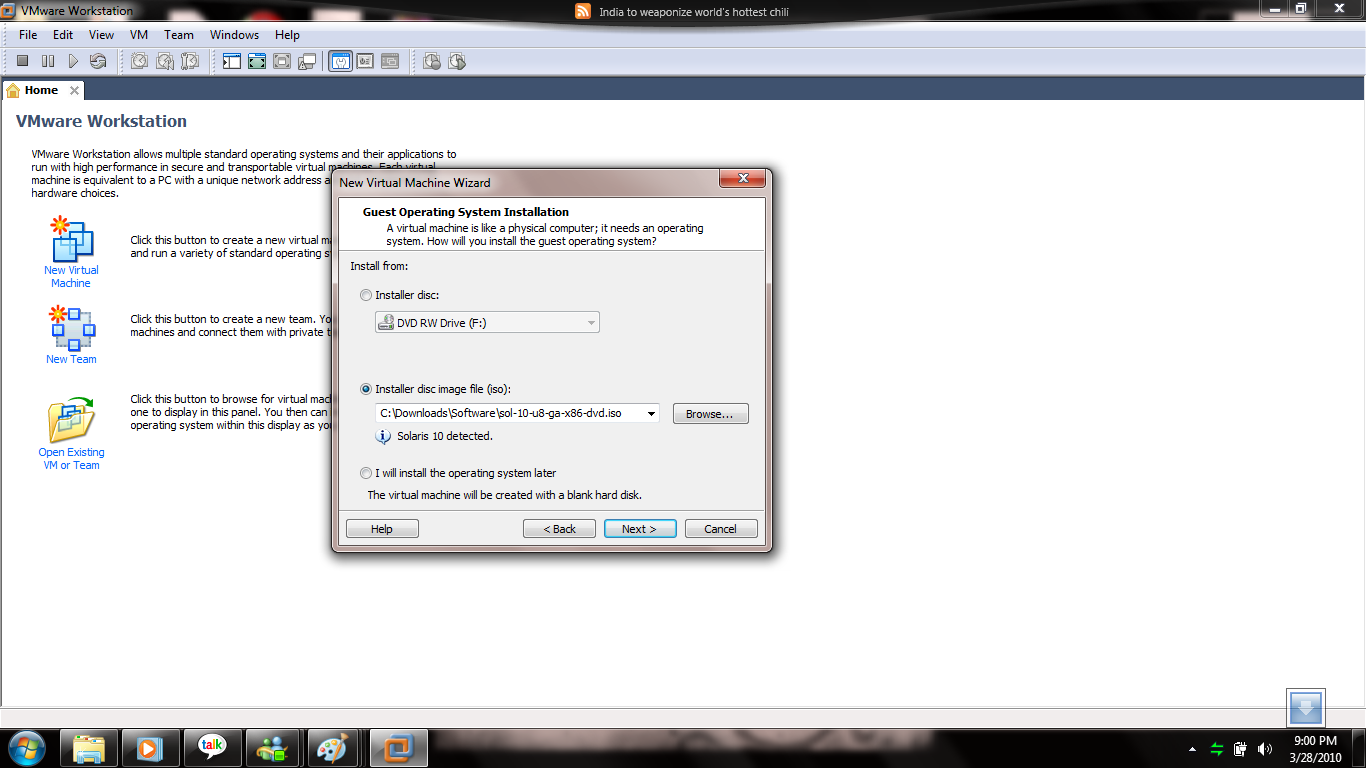
Step 2 : Here choose your operating system iso file.

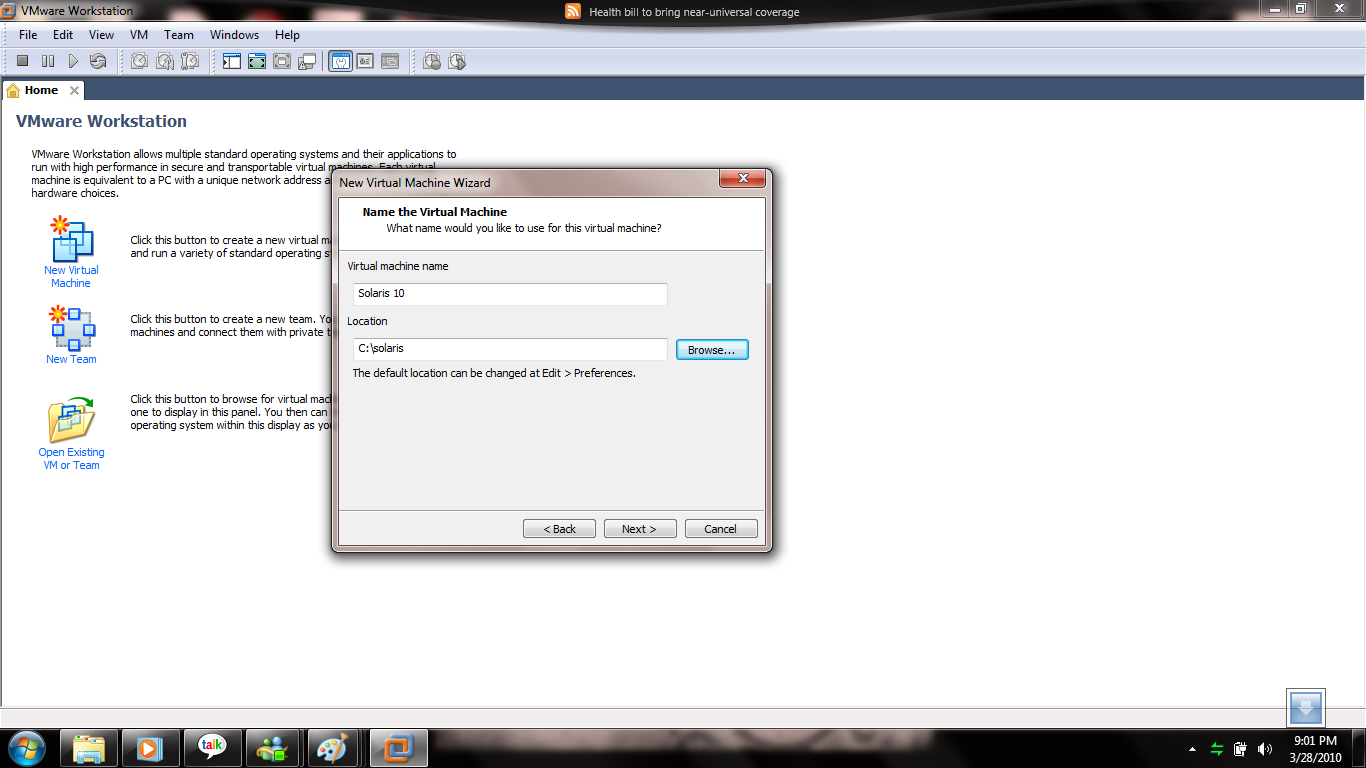
Step 3: Here choose your path where your OS files will be store .So you must create one folder for new OS and name it solaris.The particular folder disk minimum 10gb enough space is better.

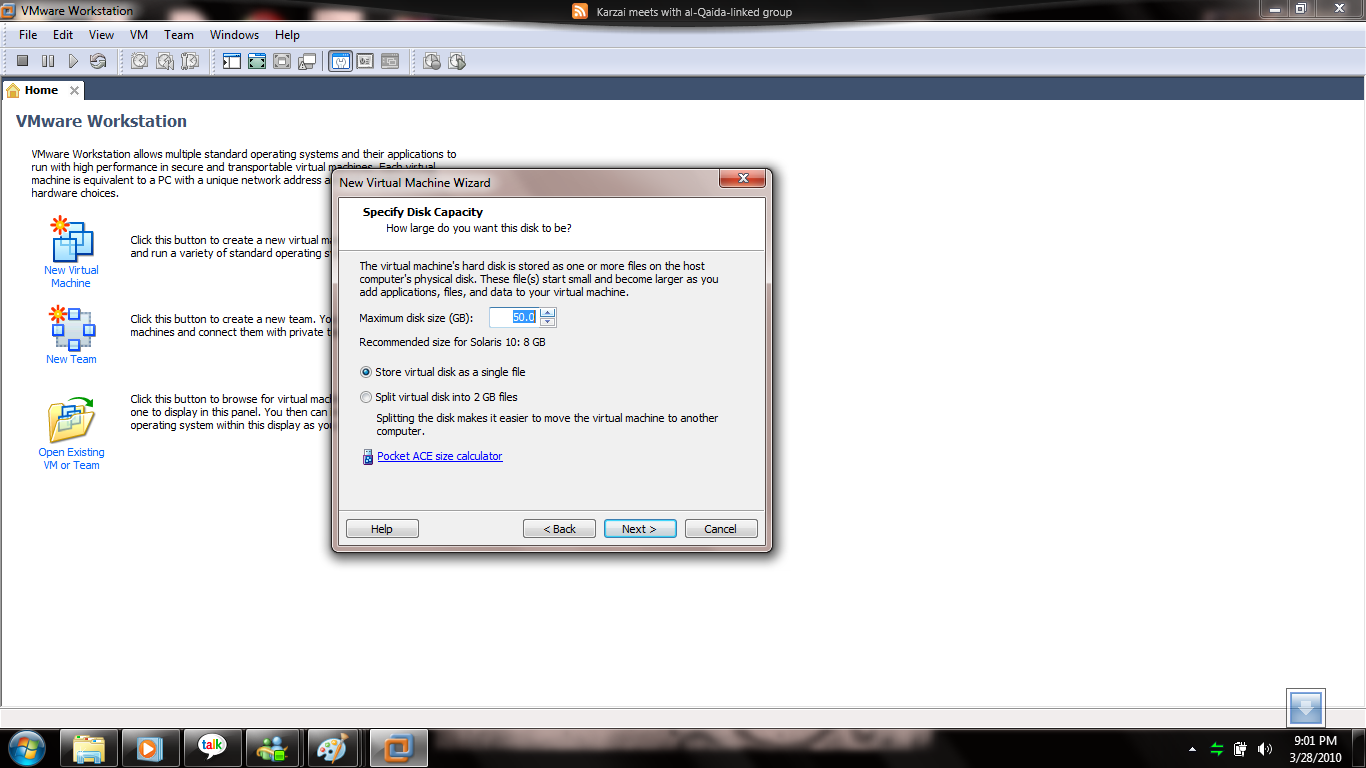
Step 4 : Here choose maximum disk space ,i choosed 50gb for solaris installation.

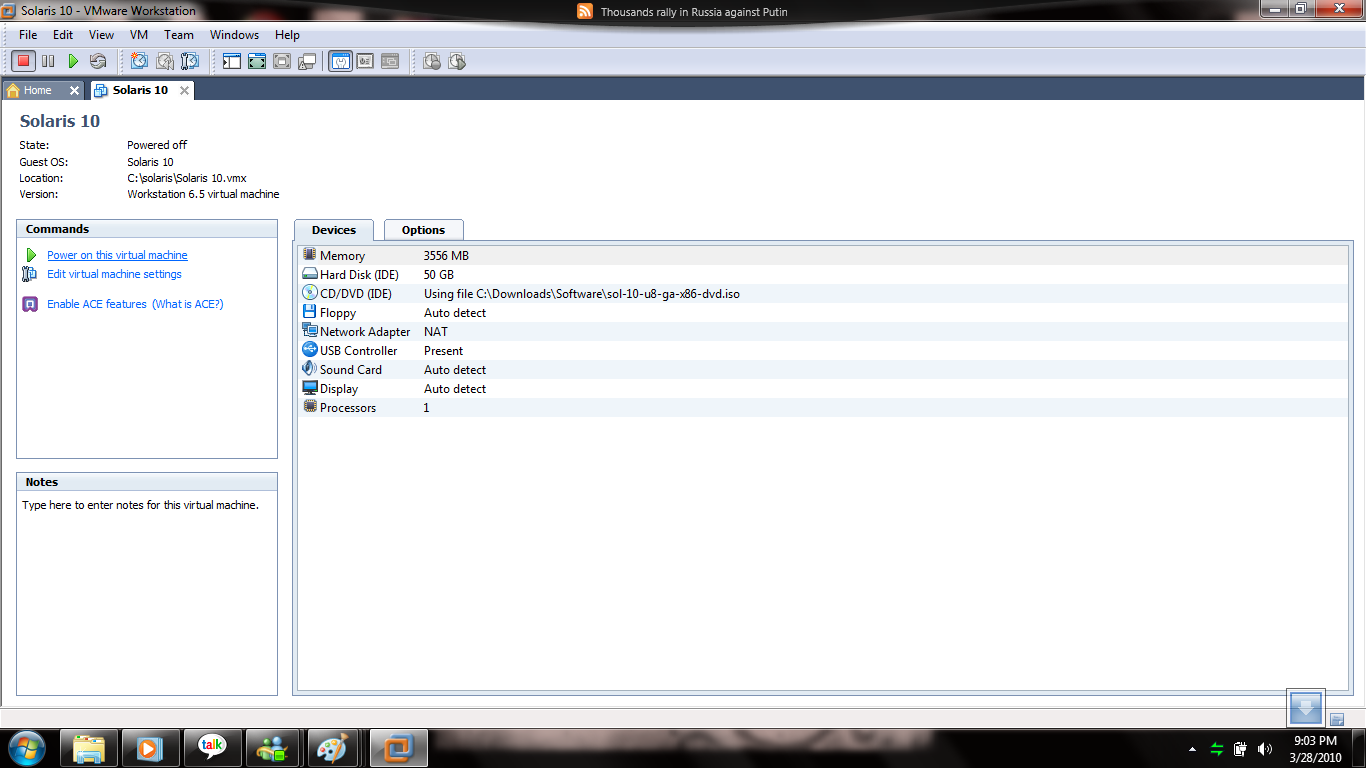
Step 5: Here Choose your hardware and memory size.

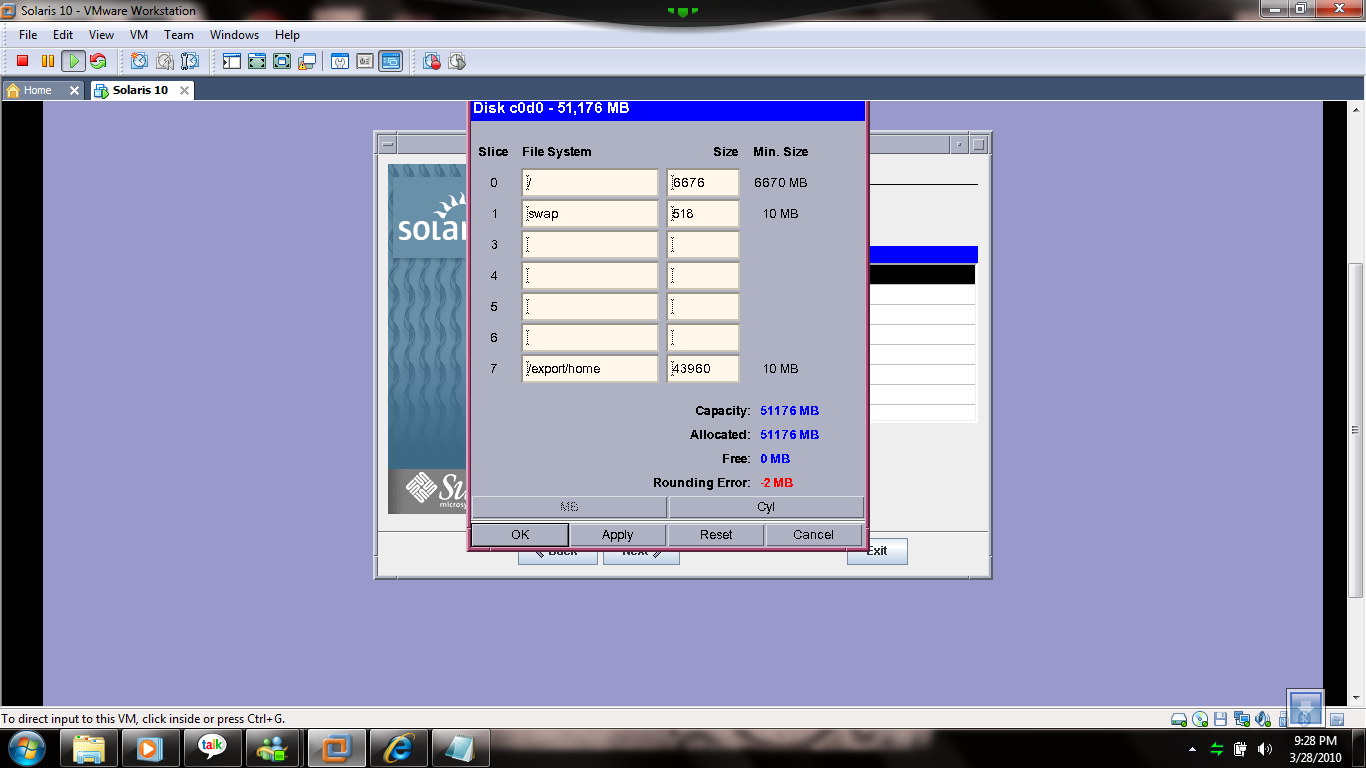
Step 6: After configuration, click power on this virtual machine , after clicked the solaris will be boot for installation, so you care fully do it your steps and most of the steps click default so i ignored some steps but you must choosed customized install for solaris because you should increase your swap space minimum 1024mb,it will be usefull for when you’re try to install Oracle on solaris and then your counting size will be equal.

Step 7 : hereafter some of the steps default select next what you want.

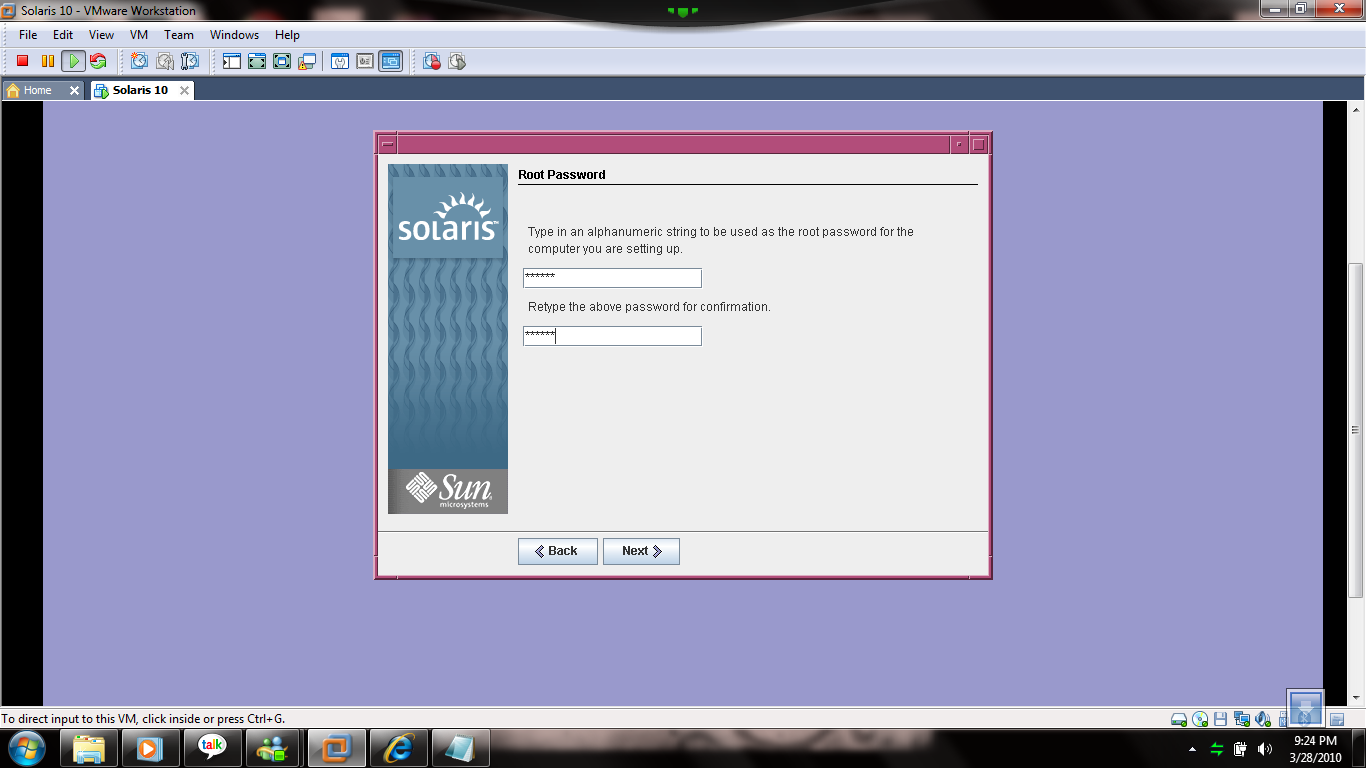
Step 8 : root password.

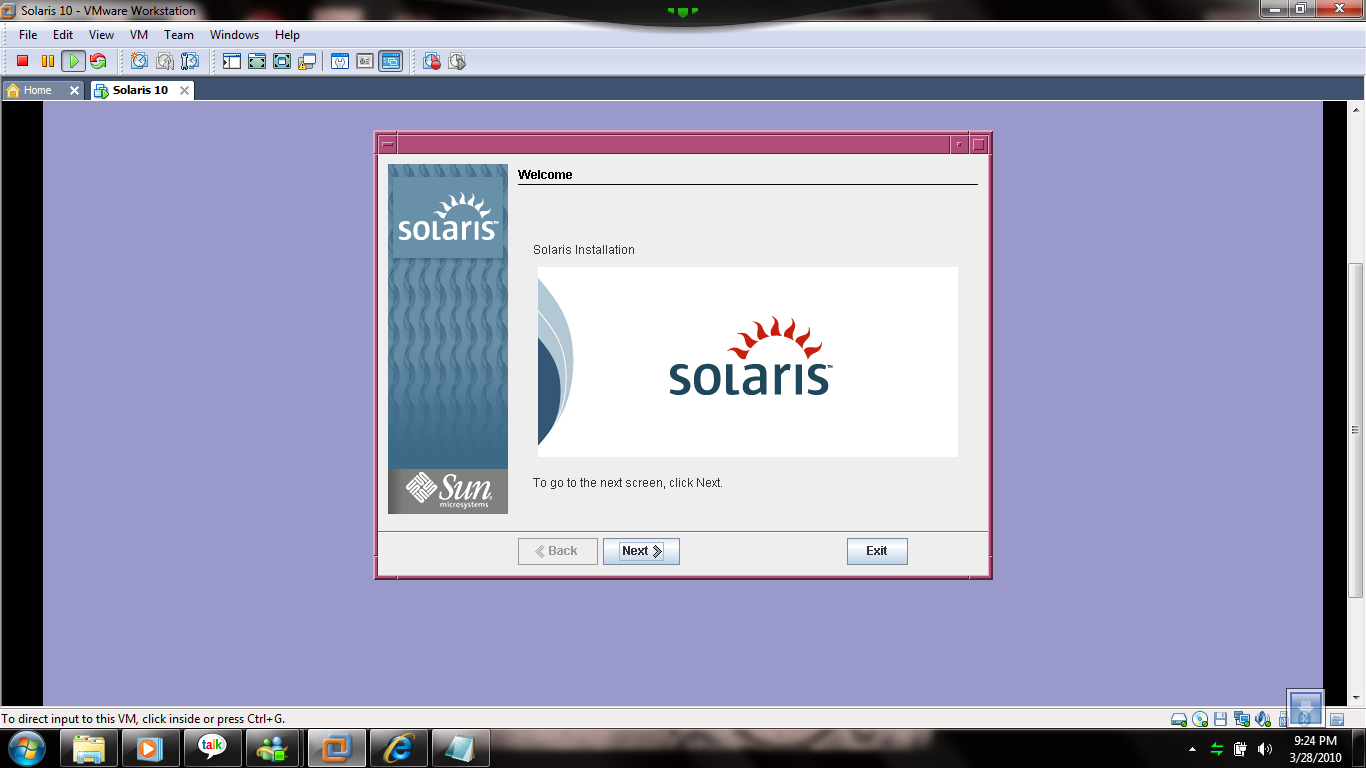
Step 9 : welcome screen

Step 10: Click default next but you  must choose customized install then only we can configure swap space and some space ,the spaces must be equal of your choosed disk space size.

Step 11 : Click Install Now.

Step 12: Solaris Installation will be progressing. It will take few minutes after installation,it automatically reboot and the welcome page will be appear.

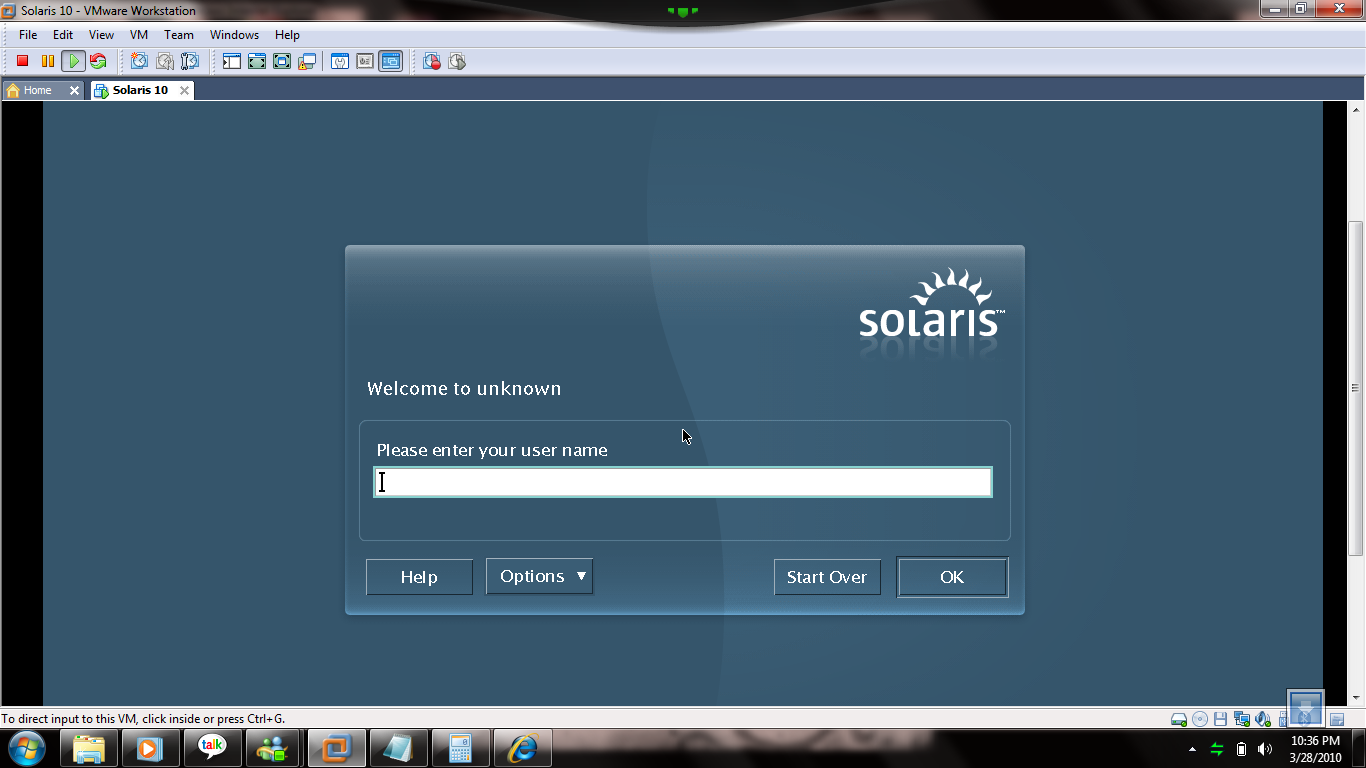
Step 13 : Welcome to Solaris World and login root username and password.

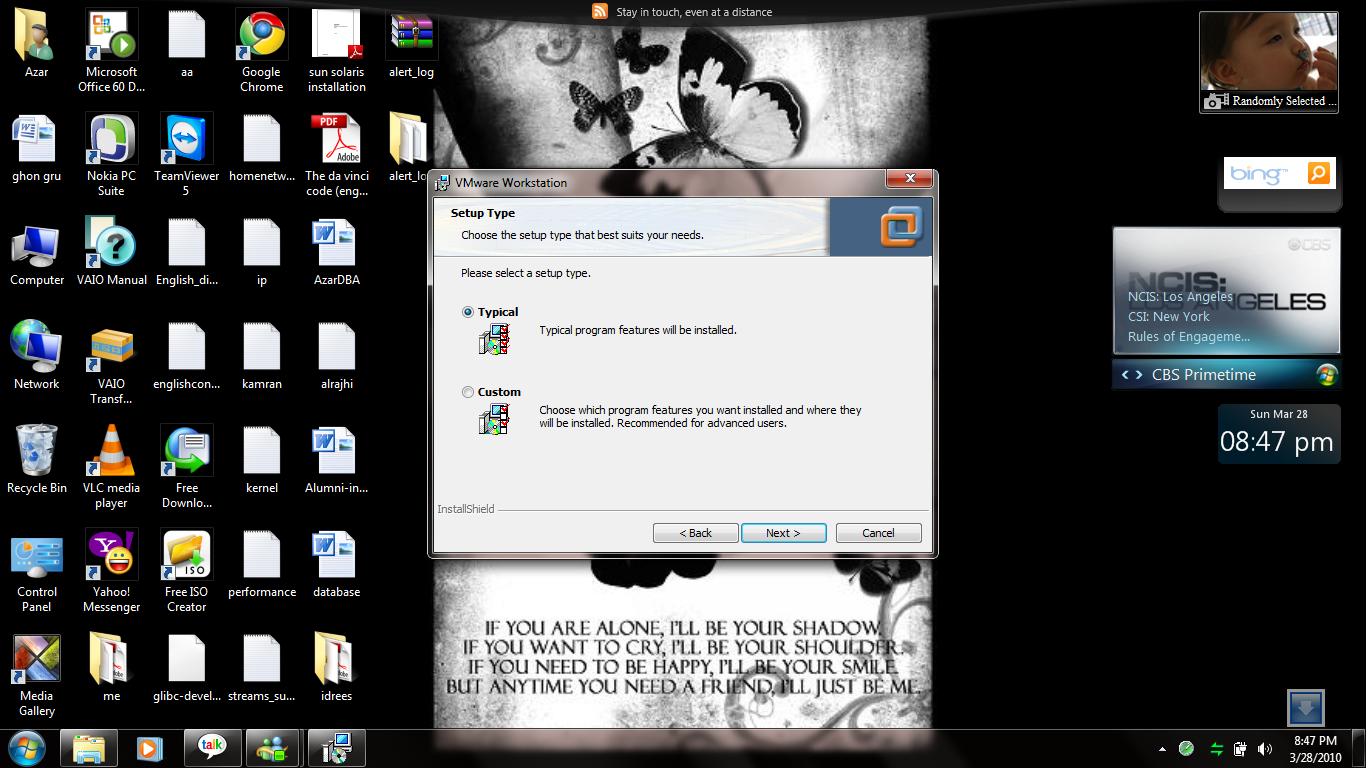
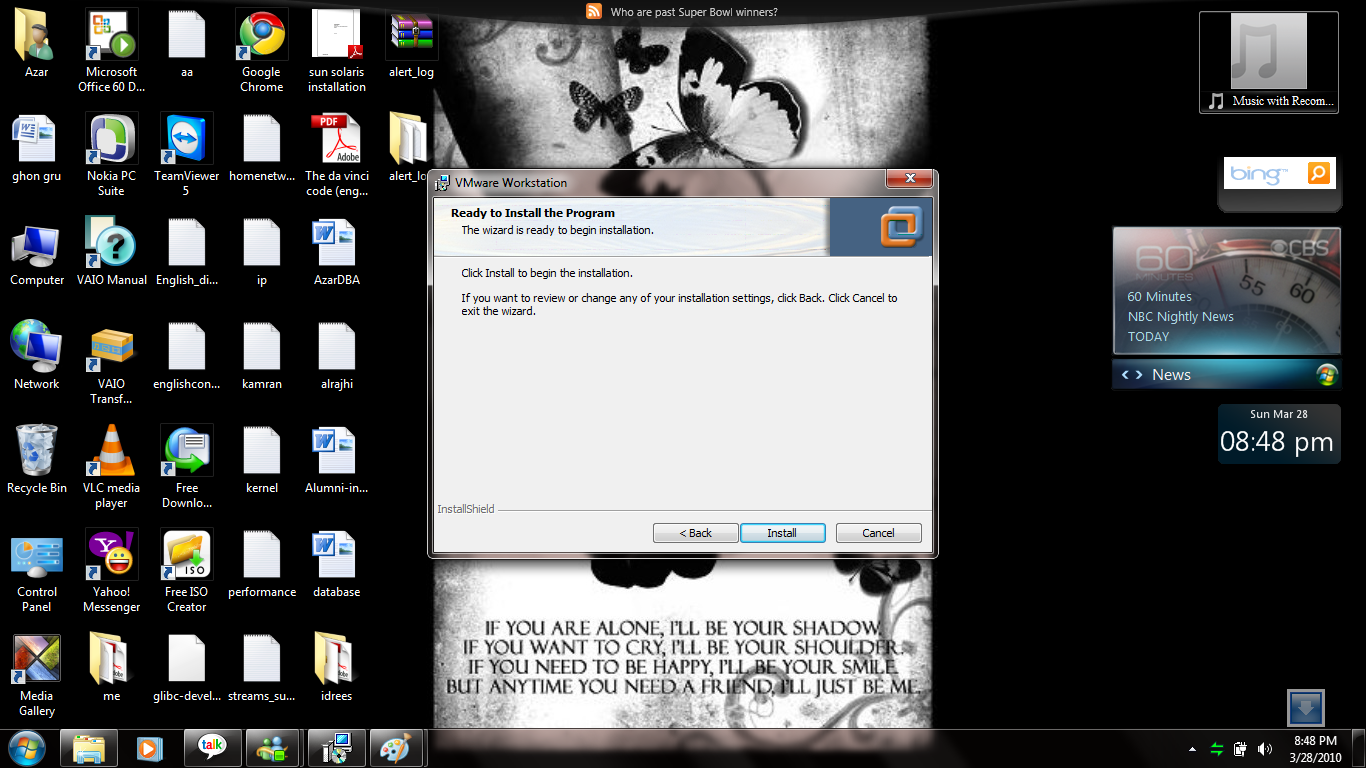
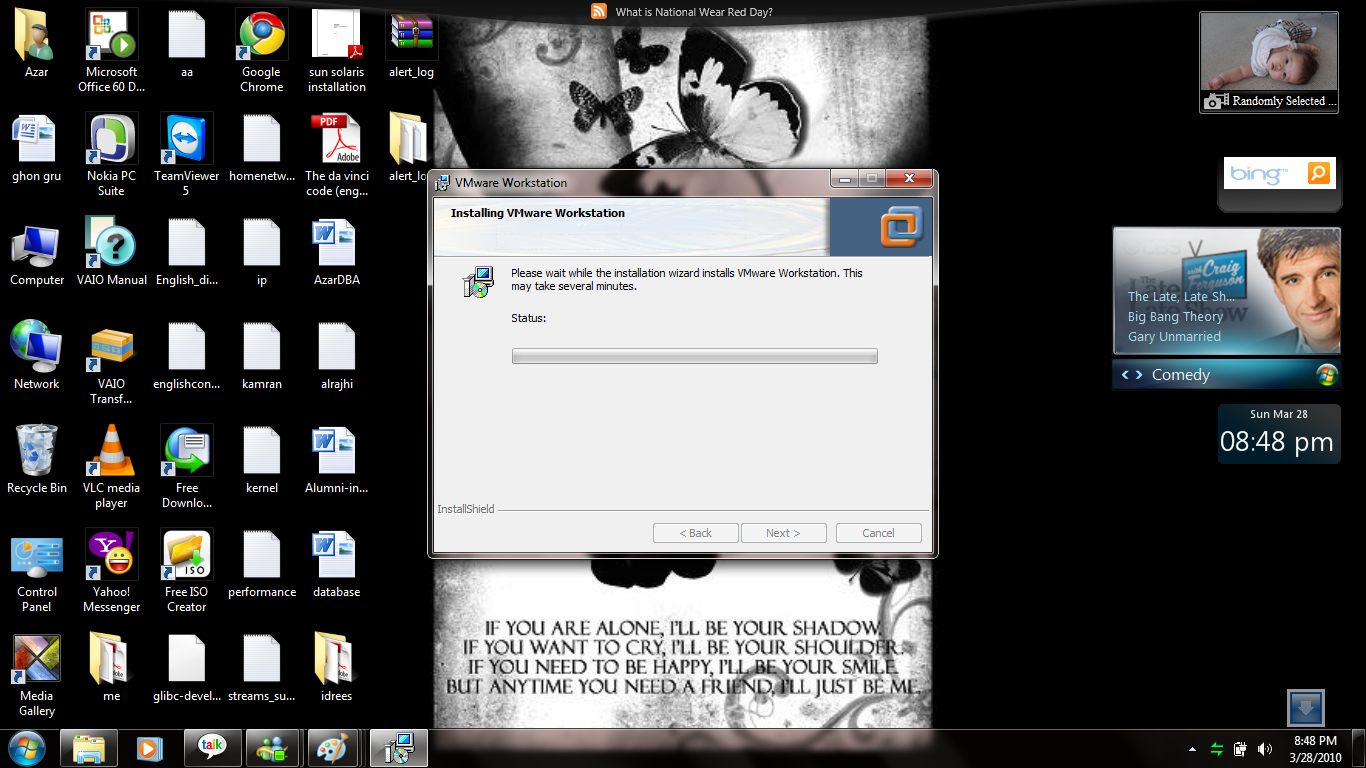
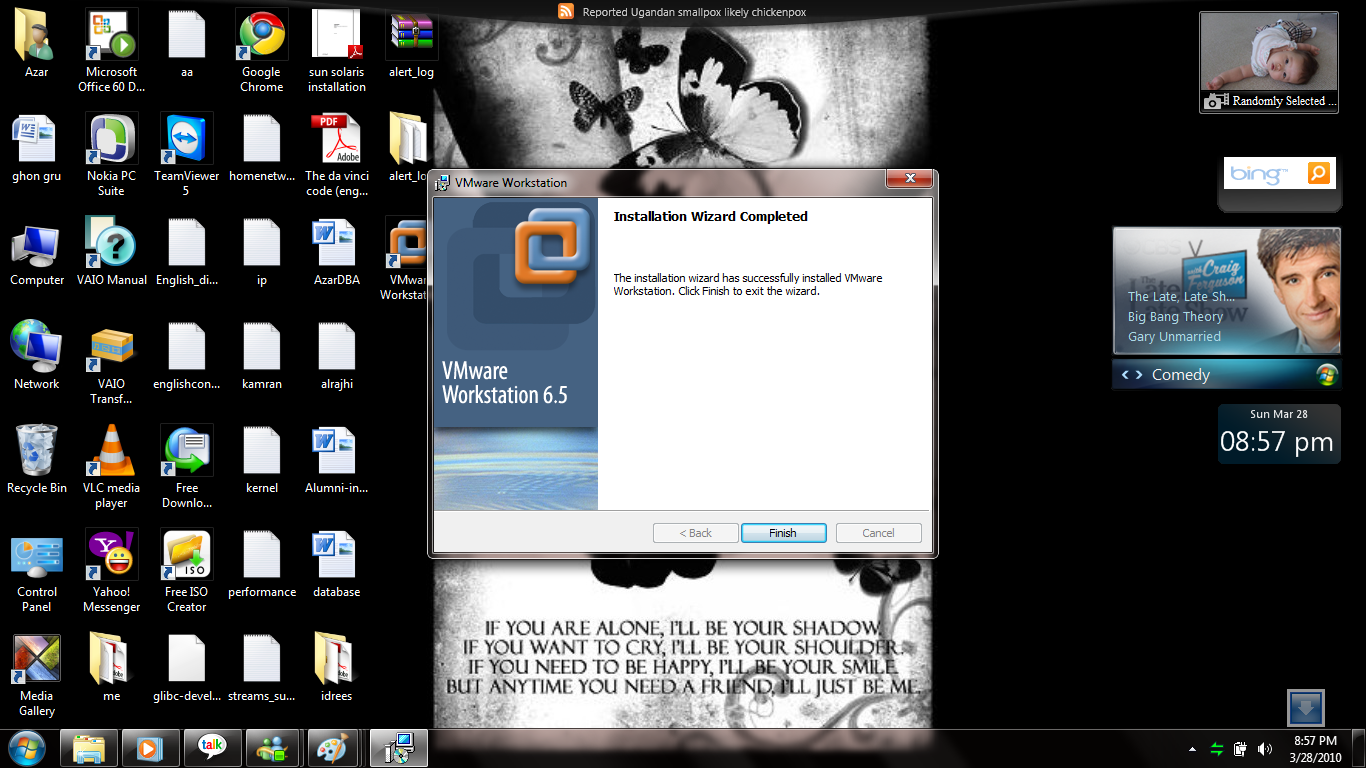
VMWARE Installation On Windows 7

Step 1 :- Click vmware.exe setup file and then the vmware setup window will be appear.Click Next.

Step 2: Choose Typical and click Next.

Step 3:

Step 4: Ready for Install Click Install.

Step 5: Installation starting, it will take few minutes.

Step 6: VMWARE installation completed.

ORA-28365: wallet is not open

When i try to make export one table using datapump with encryption_password parameter , It shows following error.

ORA-39001: invalid argument value
ORA-39180: unable to encrypt ENCRYPTION_PASSWORD
ORA-28365: wallet is not open

So i try to fix this error,

Create folder for wallet in $ORACLE_BASE/admin/SID/wallet

and then go to add it this below statement to sqlnet.ora file.

WALLET_LOCATION = (SOURCE=
(METHOD = FILE)
(METHOD_DATA =
(DIRECTORY=D:\oracle\product\10.2.0\admin\ACE\wallet)
)))

then

SQL> alter system set key identified by test;

sytem altered.

Now you can able to using encryption_password parameter.

C:\Documents and Settings\Administrator>EXPDP SCOTT/TIGER@ace DIRECTORY=TEST ENC
RYPTION_PASSWORD=test tables=test

Export: Release 10.2.0.1.0 – 64bit Production on Sunday, 28 March, 2010 14:52:34
Copyright (c) 2003, 2005, Oracle.  All rights reserved.

Connected to: Oracle Database 10g Enterprise Edition Release 10.2.0.1.0 – 64bit
Production
With the Partitioning, OLAP and Data Mining options
Starting “SCOTT”.”SYS_EXPORT_TABLE_01″:  SCOTT/********@ace DIRECTORY=TEST ENCRY
PTION_PASSWORD=********* tables=*********
Estimate in progress using BLOCKS method…
Processing object type TABLE_EXPORT/TABLE/TABLE_DATA
Total estimation using BLOCKS method: 64 KB
Processing object type TABLE_EXPORT/TABLE/TABLE
. . exported “SCOTT”.”TEST”                              5.664 KB       4 rows
Master table “SCOTT”.”SYS_EXPORT_TABLE_01″ successfully loaded/unloaded
******************************************************************************
Dump file set for SCOTT.SYS_EXPORT_TABLE_01 is:
  H:\TEST\EXPDAT.DMP
Job “SCOTT”.”SYS_EXPORT_TABLE_01″ successfully completed at 14:52:47.

How to Enable Telnet on windows 7 and connect to Oracle Server

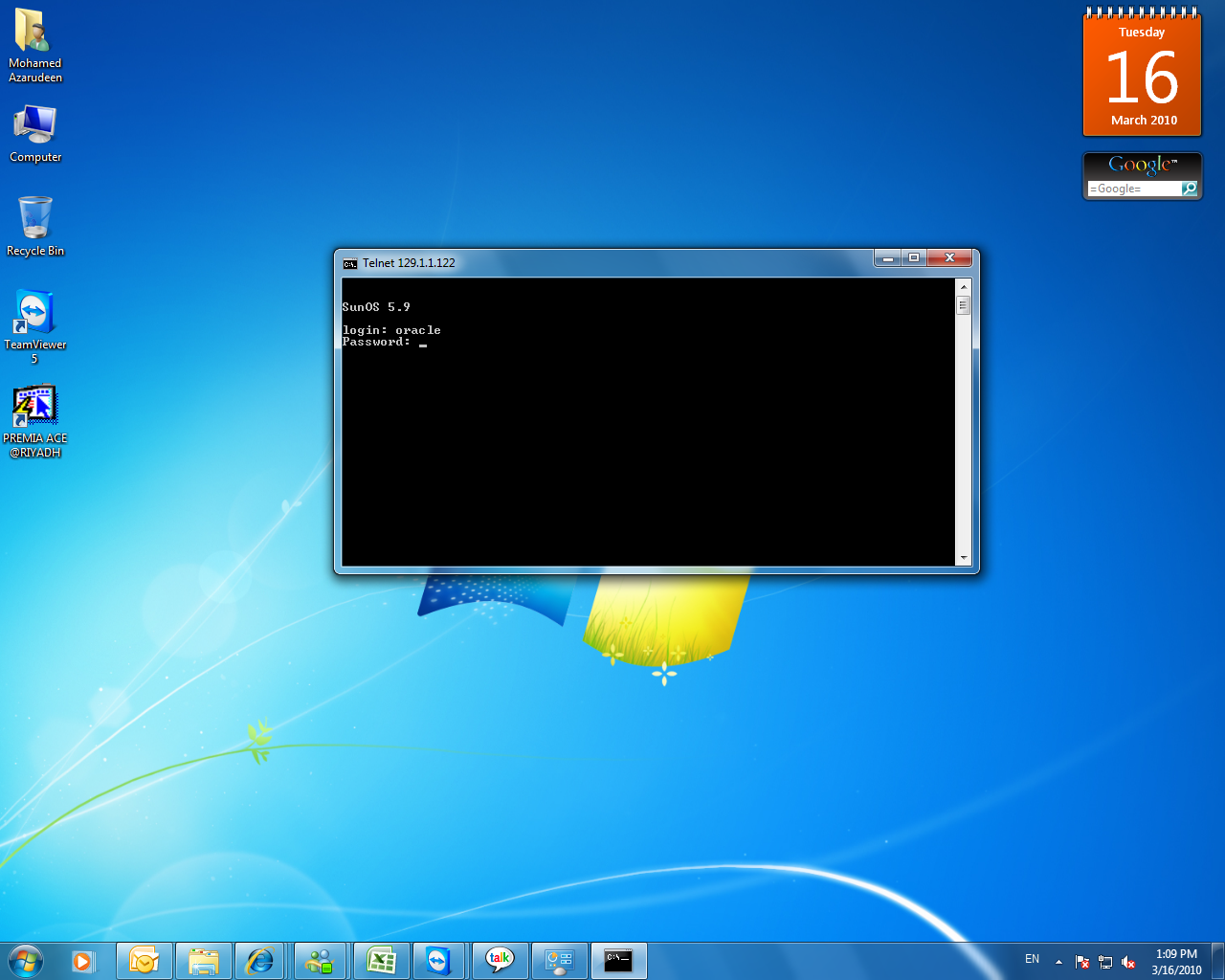
I just installed windows 7 on my new  machine and I try to connect Oracle server database through on Telnet but unfortunately i cannot connect  telnet. The telnet program doesnot configured on windows 7 when you’re done  first installation.so you need to configure Telnet program.In this case,you should follow these steps and then you can connect telnet program.

Step 1:  Open Control panel and Choose program on control panel,  then click Turn windows features on or off.

Step 2: After click , a new window appear, you can choose  Client telnet and then OK.

Step 3: The windows make new feautre.

Step 4:  After changes, you can now connect Telnet, cmd> telnet Enter.

Step 6: Now you can connect Oracle database through on telnet.

Step 6: Enter your OS oracle group  username and password.

Step 7: Finally you can connect database after you given oracle username and password.

ORA-01555 : Snapshot too old Why?


One of my friend asked me about this error on today morning,i just want to explain about the snapshot too old error.

Undo data is stored in the undo tablespace, the tablespace nominated by the UNDO_TABLESPACE instance parameter. This tablespace should be sized according to the rate at which undo data is being generated and the length of the queries running in the database.

But even if the undo tablespace is inadequately sized and therefore comes under space pressure, automatic undo retention tuning will tend to minimize problems.

Undo data generated by a transaction must always be kept until the transaction commits. This is an absolute; under no circumstances will Oracle ever overwrite undo data that might be needed to rollback a transaction. This data is known as “active” undo data.

Once a transaction has committed, its undo data is no longer active, but it could still be needed to support long running queires that began before the transaction. Data that may be needed for this purpose is known as “unexpired” undo data.

 “Expired” undo is data that is no longer needed either to rollback a transaction or to be read by queries.. Active undo will never be overwritten, and ideally expired undo can be safely overwritten at any time.

Unexpired undo can be overwritten, but at the risk of causing queries to fail with the “ORA-01555 : Snapshot too old” error.

The point at which data transitions from “unexpired” to “expired” is controlled by the instance parameter UNDO_RETENTION.

With release 9i of the Oracle database,Oracle would overwrite any expired undo. This meant that if the UNDO_RETENTION parameter were not set appropriately or (not set at all, in which case it defaults to 9oo seconds), there would be great danger of ORA-1555 errors.

Oracle 10g relaeas of the database effectively ignores the UNDO_RETENTION parameter. It will always overwrite the oldest bit of undo data.This means that is a sense there is no longer any difference between expired and unexpired undo and that the UNDO_RETENTION instance parameter is redundant, because undo retention is automatically tuned for the longest possible query.

To monitor the automatic undo retention tuning ,query V$UNDOSTAT this query will show,

SQL> SELECT BEGIN_TIME,END_TIME,TUNED_UNDORETENTION,ACTIVEBLKS,UNEXPIREDBLKS,EXP
IREDBLKS FROM V$UNDOSTAT;

Iin fivteen minutes intervals, how old(in seconds) the oldest block of inactive undo data was. provided that no query started earlier than that, you will never receive a snapshot too old error. The larger the undo tablespace is and the less the transaction workload is, the further back the TUNED_UNDORETENTION will be.

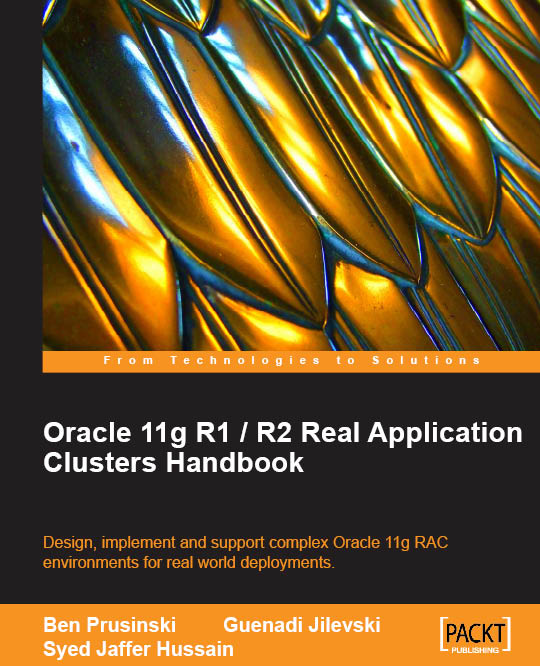
New RAC Book By Mr.Syed Jaffar Hussain and Others.

This Book will release on April 2010. I hope this book will be useful for all DBA guys and me also…

Oracle 11g R1 / R2 Real Application Clusters Handbook

In Detail

RAC or Real Application Clusters is a grid computing solution that allows multiple nodes (servers) in a clustered system to mount and open a single database that resides on shared disk storage. Should a single system (node) fail, the database service will still be available on the remaining nodes. RAC is an integral part of the Oracle database setup: one database, multiple users accessing it, in real time. This book will enable DBAs to get their finger on the pulse of the Oracle 11g RAC environment quickly and easily.

This practical handbook documents how to administer a complex Oracle 11g RAC environment. It covers all areas of the Oracle 11g R1 RAC environment, with bonus R2 information included, and is indispensable if you are an Oracle DBA charged with configuring and implementing Oracle11g. It presents a complete method for the design, installation, and configuration of Oracle 11g RAC, ultimately enabling rapid administration of Oracle 11g RAC environments.

Packed with real-world examples, expert tips, and troubleshooting advice, the book begins by introducing the concept of RAC and High Availability. It then dives deep into the world of RAC design, installation, and configuration, enabling you to support complex RAC environments for real-world deployments. Chapters cover RAC and High Availability, Oracle 11g RAC Architecture, Oracle 11g RAC Installation, Automatic Storage Management, Troubleshooting, Workload Management, and much more.

By following the practical examples in the book, you will learn every concept of the RAC environment and how to successfully support complex Oracle 11g R1 and R2 RAC environments for various deployments in real-world situations.

What you will learn from this book

  • Administer, implement, and manage Oracle 11g RAC environments for real-world deployments
  • Understand the high availability concepts and solutions that are available for Oracle 11g RAC
  • Discover the key architectural design and installation techniques required to successfully deploy Oracle 11g RAC
  • Add functionality to your RAC environment by incorporating new RAC features such as Automatic Storage Management
  • Effectively manage the complex 11g Clusterware, using key troubleshooting tips and techniques.
  • Successfully implement database creation methods, manage the RAC database, and handle workload in your RAC environment efficiently
  • Plan your backup and recovery strategy appropriately
  • Know when and how to upgrade your RAC environment effectively
  • Deploy Oracle 11g RAC with complex standard-off-the-shelf systems like Oracle EBS
  • Understand key new features for 11g R1/R2 RAC and ASM

How to Access EM in windows 7 Outside of VMware(Database installed on solaris in vmware)

Step 1: Configure Bridge network on vmware.

Step 2: Login as root user .

Step 3:Login as Oracle user. Check Emctl status whether Enterprise Manager console is running or not, if its not running ,start dbconsole(emctl start dbconsole).You must check listner is running or not.

Lsnrctl>status  ‘If its not start ,start listner.

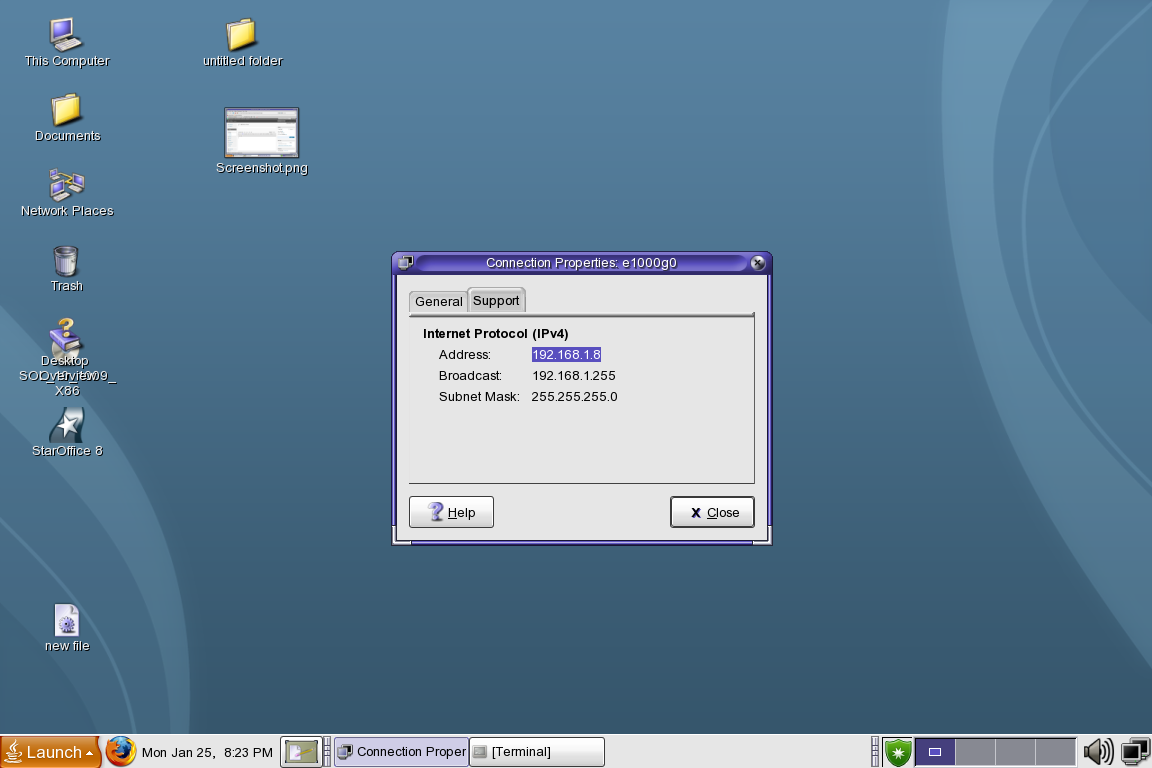
Step 4: Note your solaris Ip address.

Step 5: Comeout from vmware and ping solaris ip address on windows command prompt.

Step 6 : After ping , open browser and type Enterprise manager URL in url address bar. Now you can easily access EM on windows 7.

RMAN: Keep archive redo in FRA, is this recommand? I asked Mr.Kamran Agayev


Mohamed says: May i know, shall we keep archive log files in FRA? Is this recommand?


Kamran Agayev A. says: It depends on your backup policy    
 

If you’re going to analyze the archived redo log files in the future using LogMiner utility, then you can either keep them at FRA, or move them to tapes or somewhere else   

If you’re not going to analyze the archived redo log files, just take their backup daily using RMAN and delete them automatically .

Configuring Archive redo logs to go to FRA :

C:\Documents and Settings\AZAR>set oracle_sid=riyadh

C:\Documents and Settings\AZAR>sqlplus

SQL*Plus: Release 10.2.0.1.0 – Production on Sat Dec 26 14:18:22 2009

Copyright (c) 1982, 2005, Oracle.  All rights reserved.

Enter user-name: / as sysdba

Connected to:
Oracle Database 10g Enterprise Edition Release 10.2.0.1.0 – Production
With the Partitioning, OLAP and Data Mining options

SQL> alter system set log_archive_dest_1=’LOCATION=USE_DB_RECOVERY_FILE_DEST’;

System altered.

SQL> show parameter log_archive_dest_state_1

NAME                                 TYPE        VALUE
———————————— ———– ——————————
log_archive_dest_state_1             string      enable

SQL> archive log list;
Database log mode              Archive Mode
Automatic archival             Enabled
Archive destination            USE_DB_RECOVERY_FILE_DEST
Oldest online log sequence     4
Next log sequence to archive   6
Current log sequence           6
SQL> alter system switch logfile;

System altered.

ORA-00257: archiver error.Connect internal only, until freed.

This message indicates that the location specified for archived redo logs is possibly full ,so you need to increase space.

SQL> select name from v$archived_log order by completion_time;

NAME
——————————————————————————–
D:\FLASHRECOVERY\RIYADH\ARCHIVELOG\2009_12_26\O1_MF_1_6_5MCWFPXT_.ARC

8 rows selected.

SQL> 

What is Failover server? I asked Mr.kamran agayev.

Mohamed says:

What is failover server?

Kamran Agayev A. says:

It’s the seperate server from the production server which is used to be a Production server if you have a problem with your production server

Kamran Agayev A. says:

You create a “failover server” and replicate all data from production to failover. When you have a problem with your production server, you switch a failover server to be a production server …

Mohamed says:

Can i go back to production server after switch a failover server?

Kamran Agayev A. says:

If changes were made on failover server (after making it a production server) , you will not see them in your first production server, so you don’t need to go back to the previous production server

Mohamed says:

yes.. thanks Sir.

Kamran Agayev A. says:

you’re welcome